
 Kontakt
 Kako nakupovati
Dostava
Svetovalec pri nakupu
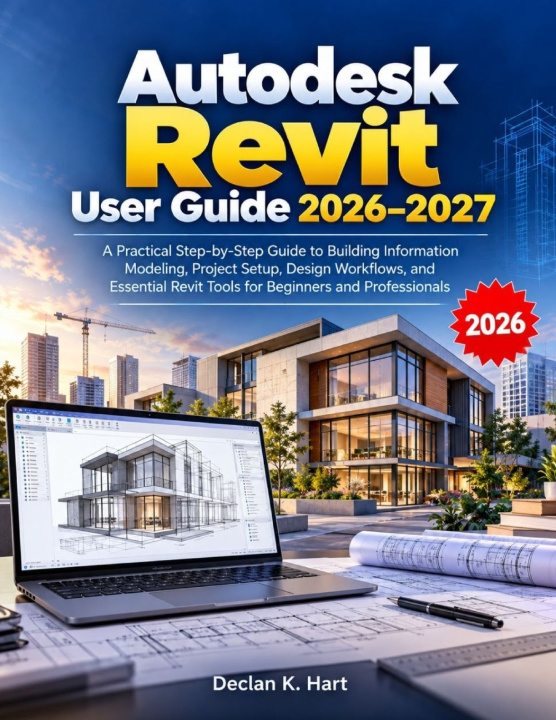
Autodesk Revit User Guide 2026-2027
A Practical Step-by-Step Guide to Building Information Modeling, Project Setup, Design Workflows, and Essential Revit Tools for Beginners and Professionals
 Angleščina
 47 b
47 b
 Kmalu
Kmalu
 Novo
Novo
Do 30 dni za vračilo

Learn Autodesk Revit with Confidence and Turn Your Building Designs into Practical BIM Projects!
Are you new to Autodesk Revit and unsure where to begin? Do you want to understand Building Information Modeling (BIM), create accurate 3D building models, and develop professional design workflows without getting overwhelmed by complicated tools?
Autodesk Revit User Guide 2026-2027 is a practical, step-by-step resource designed to help beginners, architecture students, engineers, designers, and working professionals understand and use Revit more effectively.
Written in clear, accessible language, this guide takes you from understanding the Revit interface and setting up your first project to creating building models, managing documentation, collaborating with teams, and solving common technical problems.
What You'll Discover Inside
- Revit and BIM Fundamentals: Understand how Building Information Modeling works and how Revit supports architectural, structural, and MEP projects.
- Interface and Navigation: Explore the Ribbon, Project Browser, Properties Palette, views, keyboard shortcuts, and essential navigation tools.
- Project Setup Made Simple: Learn to configure templates, units, levels, grids, project information, and linked files.
- Essential 3D Modeling Tools: Work with walls, floors, roofs, doors, windows, stairs, rooms, components, and Revit families.
- Professional Documentation: Create floor plans, sections, elevations, schedules, annotations, and construction sheets.
- Collaboration and Cloud Workflows: Understand worksharing, linked models, Autodesk Construction Cloud, and common file exchange formats.
- 2026-2027 Features: Explore the version-specific capabilities discussed in the guide, including Accelerated Graphics, modeling improvements, automation, and AI-assisted workflows.
- Real-World Design Projects: Follow practical workflows for creating floor plans, coordinating building systems, and preparing construction documents.
- Troubleshooting and Performance: Learn how to approach slow models, missing files, synchronization errors, printing problems, and file recovery.
- Security and Long-Term Maintenance: Protect project data, organize backups, maintain model health, and manage project archives.
Whether you are an absolute beginner, an architecture or engineering student, a CAD user transitioning to BIM, or a professional seeking a practical Revit reference, this book provides structured guidance to support your learning and everyday work.
Go beyond learning individual commands. Discover how Revit tools work together to turn building ideas into coordinated models and useful construction documents.
Start building your Revit knowledge, develop practical modeling habits, and approach your next BIM project with greater confidence.
Disclaimer: This book is an independent and unofficial educational guide. It is not affiliated with, endorsed by, sponsored by, or approved by Autodesk, Inc. All trademarks and product names belong to their respective owners.


O knjigi
Angleščina

Podarite to knjigo še danes
To je povsem preprosto
1 Dodajte knjigo v košarico in izberite dostavo kot darilo 2 V zameno vam bomo poslali kupon 3 Knjiga bo dostavljena na naslov obdarovancaPozdravljeni! Sem Libroamiko, vaš knjižni svetovalec.
Kako vam lahko pomagam?