
 Kontakt
 Kako nakupovati
Dostava
Svetovalec pri nakupu
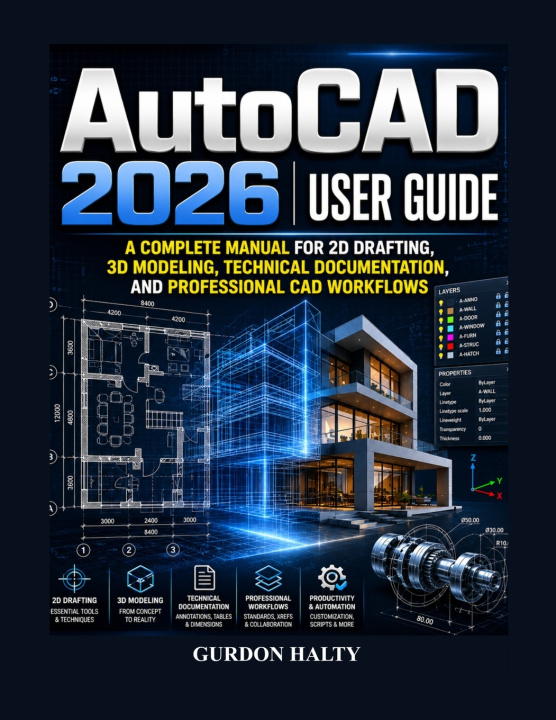
AutoCAD 2026 User Guide
Complete Manual for 2D Drafting, 3D Modeling, Technical Documentation, and Professional CAD Workflows
 Angleščina
 46 b
46 b
 Novo
Novo
Do 30 dni za vračilo

Unlock the full power of AutoCAD 2026 and transform the way you create, design, document, and manage professional projects with this complete step-by-step user guide designed for beginners, students, engineers, architects, designers, drafters, and CAD professionals.
Whether you are opening AutoCAD for the first time, transitioning from previous versions, or looking to strengthen your drafting and design workflow, this comprehensive guide provides the practical knowledge and hands-on instruction needed to confidently master the tools and features inside AutoCAD 2026.
Modern design projects demand more than basic drawing skills. Professionals today require efficient workflows, accurate technical documentation, collaboration tools, organized project management, and the ability to create both detailed 2D drawings and realistic 3D models. This guide is designed to help you build those skills from the ground up while developing a professional understanding of real-world CAD workflows.
Inside this AutoCAD 2026 guide, you will discover how to:
Understand the AutoCAD 2026 interface and workspace environment
Create and manage professional 2D drafting projects
Use drawing and modification tools efficiently
Organize projects with layers, properties, and standards
Apply dimensions, annotations, tables, and technical documentation tools
Build reusable blocks, Dynamic Blocks, and Smart Blocks
Work with external references and collaborative workflows
Create layouts, viewports, and print-ready project sheets
Develop realistic 3D models using Extrude, Revolve, Sweep, and Loft tools
Customize AutoCAD and automate repetitive tasks for faster workflows
Apply professional productivity techniques used in industry environments
Complete practical architectural and mechanical design projects
Troubleshoot common AutoCAD problems and improve performance
Unlike basic tutorials that only explain commands, this book combines foundational learning with practical workflows, project-based instruction, and productivity methods that mirror how AutoCAD is used in professional environments.
Whether your goal is to improve CAD drafting skills, create architectural drawings, develop engineering documentation, build mechanical designs, explore 3D modeling techniques, or strengthen your technical design workflow, this guide provides a structured path from beginner concepts to advanced applications.
If you are ready to move beyond basic drawing tools and confidently master AutoCAD 2026 for real-world design and documentation projects, this guide will become an essential resource for your learning journey.
Begin designing with precision, work more efficiently, and take your CAD skills to the next professional level today.


O knjigi
Angleščina

Podarite to knjigo še danes
To je povsem preprosto
1 Dodajte knjigo v košarico in izberite dostavo kot darilo 2 V zameno vam bomo poslali kupon 3 Knjiga bo dostavljena na naslov obdarovancaPozdravljeni! Sem Libroamiko, vaš knjižni svetovalec.
Kako vam lahko pomagam?